Download Clicky Pet, a free desktop pet
A free desktop pet app for Windows and Mac, in beta. Your pet sits on top of your windows: click it and it squishes and says something, rub its head and it sways and sends up its icon, drag it anywhere. Clicky, Mint and Mochi come with it; add pets you build in the pet maker or start from a picture on clicky.pet.
Beta 0.1.0, free
Windows 10 and 11
Download for WindowsZip, 3.0 MB, nothing to install, 64-bitMac
Download for MacDisk image, 6.7 MB, Apple silicon and IntelInstall it on Windows
1. Extract the zip
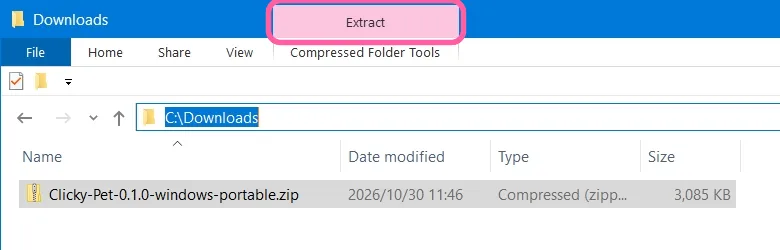
Open your Downloads folder and select the zip. Choose Extract at the top of the window, then Extract all. Or right-click the zip and choose Extract All…
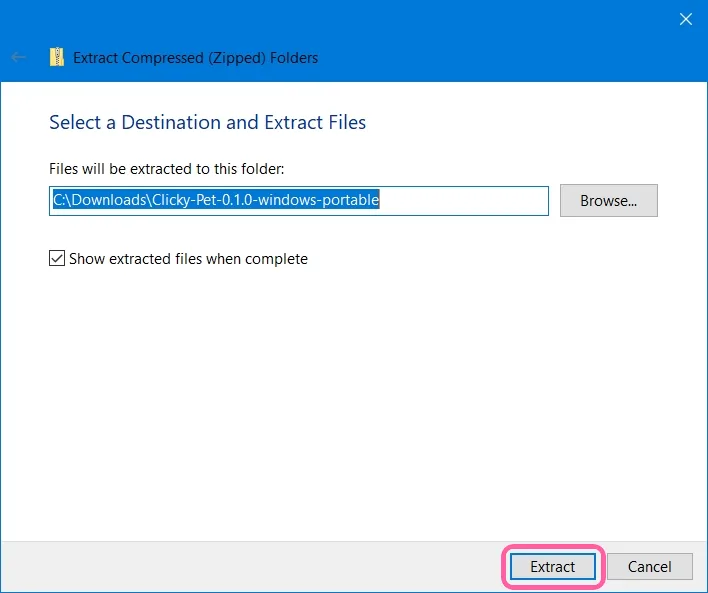
Keep the folder somewhere it can stay, such as Documents, then choose Extract. Clicky Pet runs from that folder: there's nothing to install.
2. Open Clicky Pet.exe
In the folder, double-click Clicky Pet.exe. If Windows shows "Windows protected your PC", choose More info, then Run anyway: the app isn't code-signed yet, and Windows asks this once.
3. Meet Clicky
Clicky appears on your desktop, on top of your windows. Click it, rub its head, drag it anywhere.

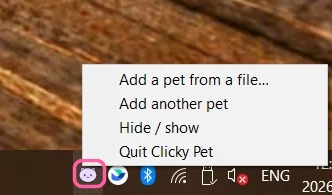
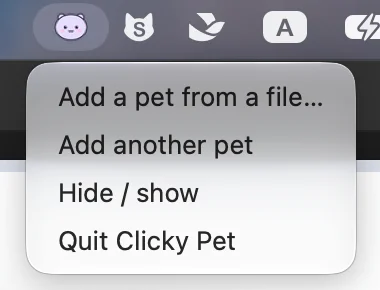
Its icon sits in the notification area at the bottom right, behind the ^ arrow if it's hidden. Click it to add a pet from a file, add another pet, hide or show them, or quit.
4. Add your own pets
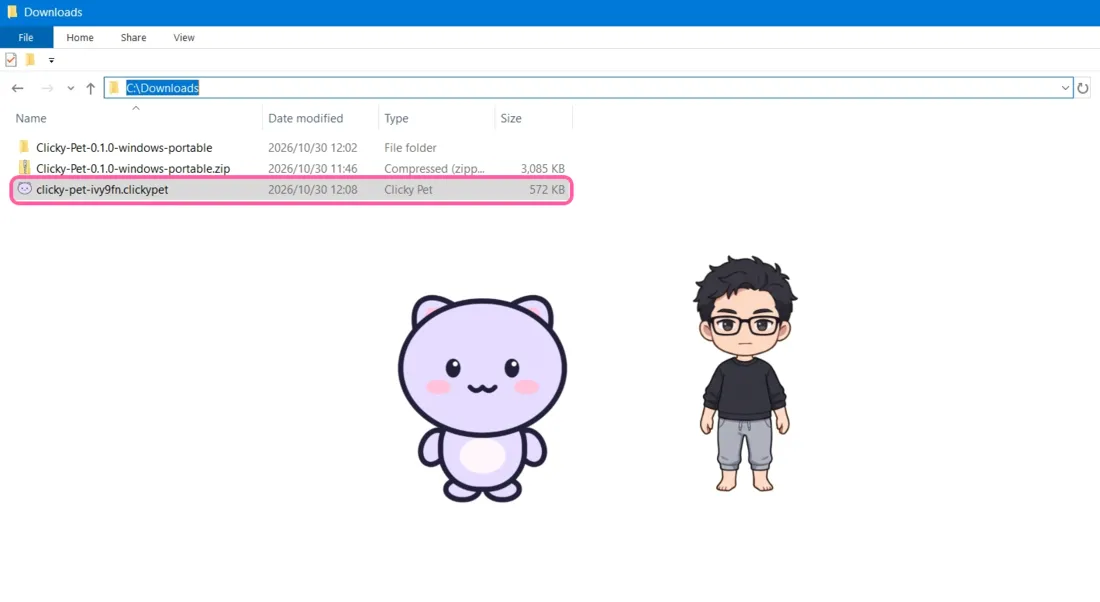
Open a .clickypet file and your pet appears next to the others: once Clicky Pet has run, Windows opens these files with it. You get one from the pet maker, or when you start from a picture.
It runs on Windows 10 (April 2018 or later) and Windows 11, which come with the Microsoft Edge WebView2 Runtime it draws with. On an older Windows 10 that has none, install the WebView2 Runtime from Microsoft and open it again.
Install it on a Mac
1. Drag it into Applications
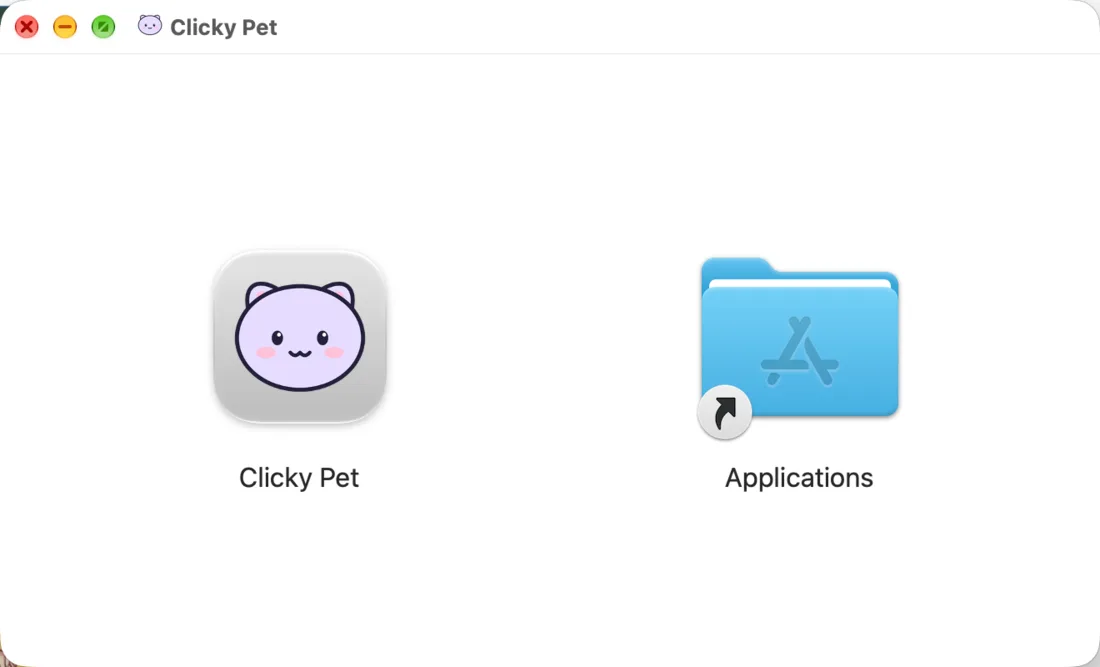
Open the .dmg you downloaded and drag Clicky Pet onto Applications. It runs on Macs with Apple silicon and with Intel.
2. Open it, then allow it once
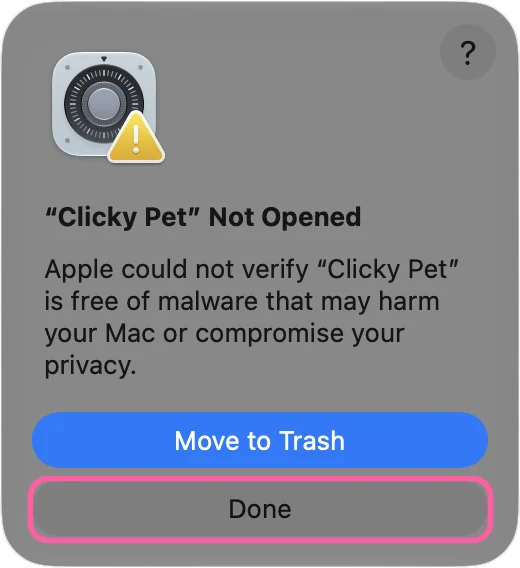
Open Clicky Pet from Applications. It isn't signed with an Apple developer certificate yet, so macOS says "Clicky Pet" Not Opened. Choose Done.
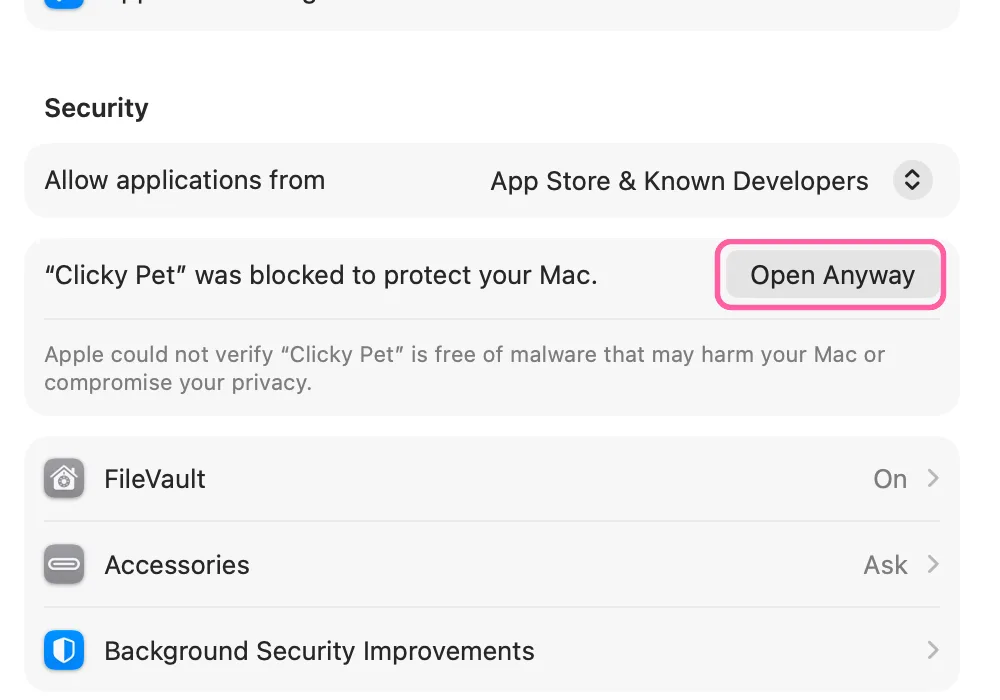
Open System Settings → Privacy & Security and scroll down to Security. Next to "Clicky Pet" was blocked to protect your Mac, choose Open Anyway.
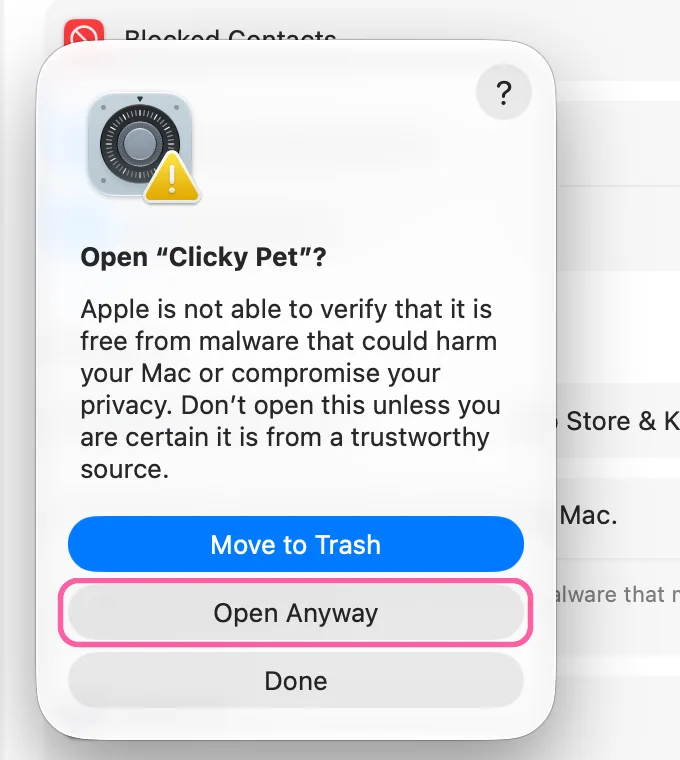
In the box that opens, choose Open Anyway again, and enter your password or use Touch ID if macOS asks. It asks this once.
On macOS 14 or earlier: Control-click Clicky Pet in Applications, choose Open, then Open again.
3. Meet Clicky
Clicky appears on your desktop. Clicky Pet lives in the menu bar at the top of the screen, not in the Dock: click its icon to add pets, hide them or quit. To add your own, open a .clickypet file.
What your pet does
- Click it: its head squishes, it clicks and says something. Hold the button to keep it pressed.
- Leave it be: it breathes, and blinks now and then.
- Rub its head: it sways, makes a delighted face and sends up hearts.
- Drag it anywhere. It stays on top of your windows and is back in the same spot next time.
- Right-click it to change which pet it is, add another, or put it away. Several can be out at once.
Put your own pets on it
Build a pet from your own art in the pet maker, free, or start from a picture for $4.99: either way you get one .clickypet file. Open it, drop it on a pet, or choose "Add a pet from a file…" in Clicky Pet's menu.
If Clicky Pet doesn't open, or no pet shows
- No pet on the screen: open Clicky Pet's menu (its icon in the notification area on Windows, behind the ^ arrow if it's hidden, or in the menu bar on a Mac) and choose Hide / show.
- A pet is in the way: drag it somewhere else, or right-click it and choose Put this one away. Hide / show in the menu hides them all for a while.
- Windows: run Clicky Pet.exe from the folder you extracted, not from inside the zip. Opened from the zip, Windows runs a temporary copy, and .clickypet files won't open with it.
- Your antivirus stops it: the app isn't code-signed yet, so some antivirus programs are wary of new files. Compare the file's SHA-256 with the one below, then allow Clicky Pet.exe.
- Mac: Open Anyway isn't in Privacy & Security. It appears after you've tried to open the app: open Clicky Pet from Applications once, choose Done, then look again.
- Mac: it says Clicky Pet is damaged. A copy downloaded before October 30, 2026 can do that; download the .dmg from this page again.
- A .clickypet file opens with another app: on Windows, open Clicky Pet once from its folder and try again; on a Mac, right-click the file, choose Open With and pick Clicky Pet.
What it needs
- Windows 10 (April 2018 or later) or Windows 11, 64-bit.
- A Mac with Apple silicon or Intel. We test it on the current macOS.
- About 10 MB of space, plus a little for the pets you add.
Make a pet of your own: build it from your art in the pet maker, free, or start from one picture.
Open the pet makerStart from a pictureIs it safe?
Clicky Pet keeps your pets, and where each one stands, on your computer and sends nothing anywhere. It isn't code-signed yet, which is why Windows and macOS ask before opening it. To check that a file is ours, compare its SHA-256 with the one below.
Update it
When a new version of the desktop pet app is out, download it here and put it where the old one was: on Windows, replace Clicky Pet.exe in its folder; on a Mac, drag the new Clicky Pet into Applications and choose Replace. Your pets, the ones you added and where each one sits are kept in the app's own folder, so they are all still there when you open it again.
Remove it
- Windows: quit it from the tray icon, then delete its folder. It told Windows to open .clickypet files with it; once the app is gone that does nothing.
- Mac: quit it from the menu bar, then drag Clicky Pet from Applications to the Trash.
- Your pets and their places are kept in %APPDATA%\pet.clicky.desktop on Windows and in ~/Library/Application Support/pet.clicky.desktop on a Mac: delete that folder to remove them too.
Check your download (SHA-256)
On Windows: certutil -hashfile <file> SHA256. On a Mac: shasum -a 256 <file>.
- Clicky-Pet-0.1.0-windows-portable.zip
68d2df57f0c7f4dc729c2cd67eadba2f85a7e69cb75ccf6aaf5d13c4511c50fa - Clicky-Pet-0.1.0-mac.dmg
abf87ef88e6ef0217440300e1700460547845107e857fa46d2d6dee4ff4160d4