What is BUG Clicker?
BUG Clicker is a free desktop pet program made by BUG (@BUGnDEV): a character you choose or draw sits on your desktop and answers with a click sound and a speech bubble when you click it. It runs on Windows 10 and 11, and a Mac beta came out on October 22, 2026.
Who makes it
BUG Clicker is made by one person, BUG (@BUGnDEV on X), and is free and non-commercial: there are no payments or ads in the app. The developer warns that anyone asking for money in BUG's name is not BUG.
How to get it
- Windows 10 or 11: download BUG-Clicker.exe from the developer's GitHub page. It runs without installing. If Windows shows "Windows protected your PC", choose More info, then Run.
- Mac (beta): download BUG-Clicker-mac.dmg from the Mac page. One dmg works on Intel and Apple chips. The first time you open it, see the steps below.
- Download only from those official links. The developer asks people not to use copies posted anywhere else.
How to get BUG Clicker on Mac
The Mac version is a beta and a separate download (BUG-Clicker-mac.dmg from the Mac page above). It is a test build that isn't signed with an Apple developer certificate, so the first time you open it macOS says Apple "could not verify" that it is free of malware. That is expected for this build. To open it:
- On macOS 15 or later, click "Done", open System Settings → Privacy & Security, and click "Open Anyway" in the Security section near the bottom. Click "Open Anyway" again and enter your password or use Touch ID.
- On macOS 14 or earlier, Control-click BUG Clicker in Finder, choose Open, then Open again.
- It asks only this once, even after automatic updates. To be sure your copy came from the official link, compare its SHA-256 fingerprint with the one at the bottom of the release notes.
- On a Mac, BUG Clicker lives in the menu bar at the top of the screen, not in the Dock. That's where you pick characters, open Character Studio, edit lines or quit. Your character first shows up near the bottom right of the screen; on a MacBook with a notch, the menu bar icon can hide behind the notch.
- Moving to your typing is still in beta on Mac and needs one permission: turn on BUG Clicker in System Settings → Privacy & Security → Input Monitoring. It only learns that a key was pressed, never which one, and macOS doesn't report typing in password fields at all.
BUG Clicker or Clicky Pet?
Both put a character on your desktop that answers when you click it. BUG Clicker packs in the most features; Clicky Pet is built to get you a pet of your own quickly, whichever way you start, and stays small and simple.
Clicky Pet
- Getting your character in
- Three ways: your own art in the pet maker, one picture, or a pet that comes with the app
- Download
- 3.0 MB for Windows, 6.7 MB for Mac
- What it does
- Clicks, lines, blinking, petting and dragging. Nothing to set up
- Price
- The app and the maker are free. A pet from your picture is $4.99, once
- Runs on
- Windows 10 and 11, macOS
BUG Clicker
- Getting your character in
- You draw its parts (head, pressed head, body and more) and import them, or a PSD made to its spec
- Download
- 107.5 MB for Windows (version 1.18.4)
- What it does
- Pets plus reminders, music, typing reactions and many settings
- Price
- Free
- Runs on
- Windows 10 and 11; Mac in beta
BUG Clicker's size: its Windows download on GitHub, October 28, 2026.



Want to try it? Clicky Pet is free for Windows and Mac, with Clicky, Mint and Mochi to start, and makes a pet of your own from your art or one picture.
Get Clicky PetMake your own desktop petA pet you make from a picture on Clicky Pet works in both: put it on your desktop with Clicky Pet, or import its PSD into BUG Clicker.
How a character works
A character is a few transparent pictures drawn in place on one square canvas: head1 (the normal head), head2 (the head when it's clicked) and body, plus optional ones: head3 (the eyes closed, for blinking), head4 (the face while you pet it), back hair, side hair and extra pieces. You can import them as PNGs or as one PSD with groups named after the slots, and add ears, tails, wings, a doll on its head, lines and reminders in the app.
Clicky Pet uses the same five parts, so a character drawn for one works in the other. Its pet maker shows yours clicking and blinking as you add each part.
Drew your character's parts? Drop the PNGs or the PSD into Clicky Pet's pet maker to see it react, then put it on your desktop. Free, and nothing is uploaded.
Open the pet maker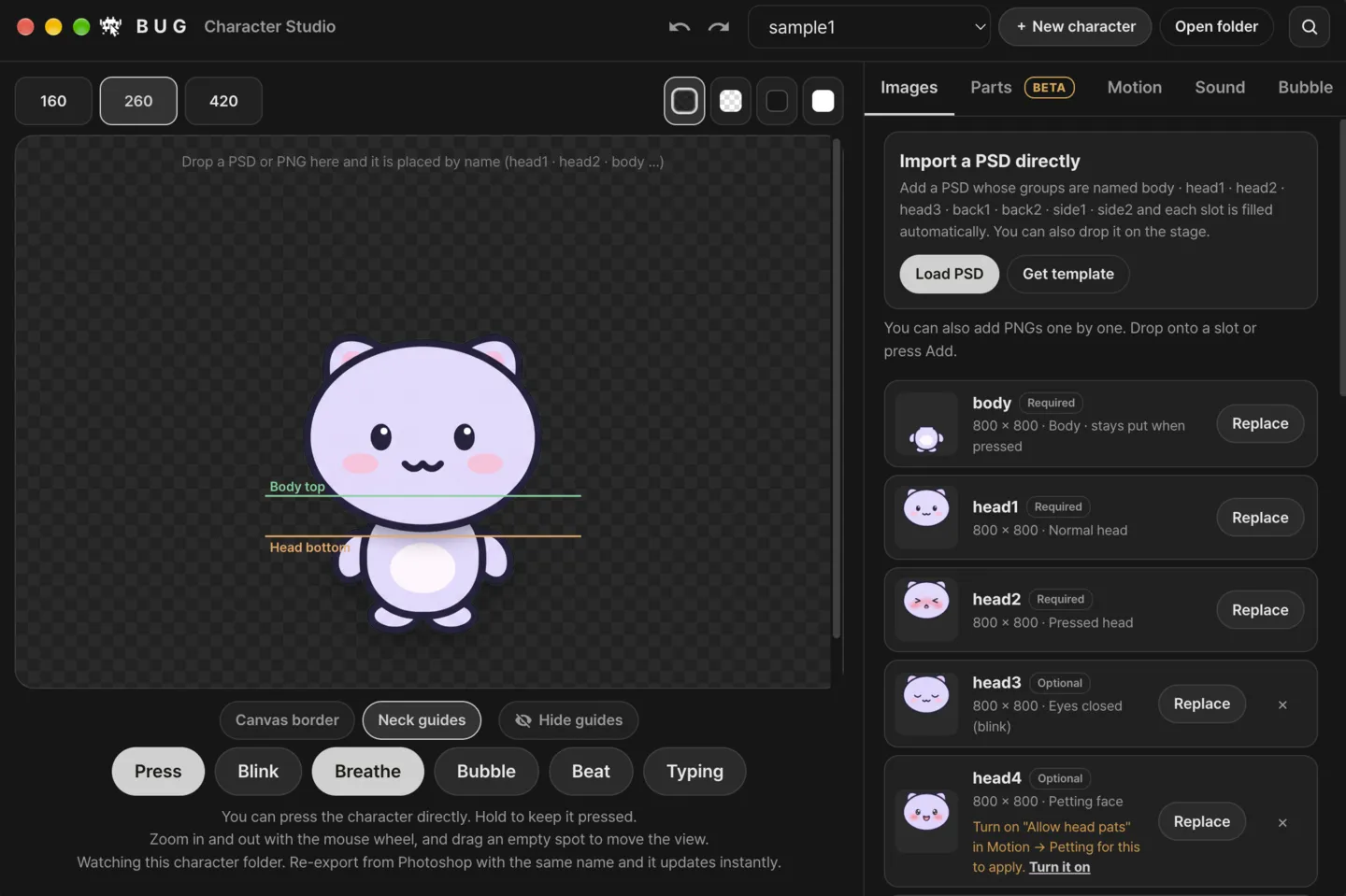
Characters can be shared as .cvclk files. The developer allows selling PSD-based commissions and .cvclk files if you name BUG Clicker and credit @BUGnDEV, and asks that nobody extracts or reuses the pictures inside someone else's character.
What BUG Clicker does on your desktop
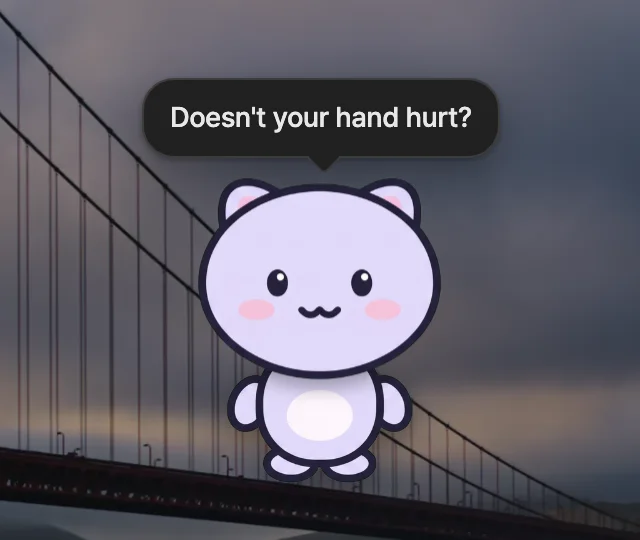
A BUG Clicker pet sits on your desktop, can stay on top of your other windows ("Always on top") and reacts to you:
- Click it and it answers: the head squishes, it plays a click sound and says one of its lines in a speech bubble.
- It breathes and blinks on its own. Blinking needs head3, the face with the eyes closed.
- Turn on "Allow head pats" and move the mouse back and forth over it to pet it: the face changes to head4 (or the eyes close with head3), the head tilts toward the mouse, and hearts, notes or other effects float up.
- It nods to the beat of music playing on your computer and bounces as you type. It only measures how loud the sound is, without recording it, and never reads which keys you press.
- It reminds you: water time, medicine time, your own reminders and a to-do list. When it's time, an icon bubble floats over its head until you click it, and it cheers when you check off a to-do.
- It stops moving when you're away: after 5 minutes without the mouse or keyboard, or when the screen is locked.
- For streams and videos it takes photos and GIFs of itself, and it can show up as a window to pick in OBS's Window Capture.
Its menus come in Korean, English, Japanese and Chinese; the ones other than Korean are machine translated. On Windows there is nothing to install: it runs from wherever you put BUG-Clicker.exe and keeps characters and settings in a "BUG Clicker 데이터" (BUG Clicker data) folder next to it, so move the two together.
Where people share characters
Most BUG Clicker characters are drawn by artists and shared on X: the post shows the character, and the download link (Google Drive, Dropbox or ko-fi) is usually in the replies. To find them, search X for "BUG Clicker", and follow the developer, @BUGnDEV, for news about the app.
- A shared character comes as a .cvclk file. In BUG Clicker, open Share and use Import (.cvclk).
- Artists can lock a character so it can't be exported again, and the pictures inside a received character open only in your BUG Clicker. Keep to each artist's terms: many ask you not to edit or repost their characters.
- Making a pet with Clicky Pet? Use a picture of your own character, or one you're allowed to use, not someone else's art.
Drawing your own BUG Clicker character
If you draw, Character Studio has what you need. "Get template" saves a PSD template to your Downloads folder, and "Get guide PNG" saves a 1600 × 1600 guide that marks the drawing area. Name the groups body, head1 and head2 (plus head3 and head4 if you like) and press "Load PSD": each group goes into the slot of the same name. You can also drop PNGs into the slots one by one. The same files go straight into Clicky Pet's pet maker too.
- Neck guides draw a "Body top" and a "Head bottom" line on the stage, to check how the head and the body overlap before the head bounces.
- PSDs from Clip Studio Paint, which stores group names differently, are read too.
- Ears, tails, wings, an ahoge and up to three dolls on its head are added afterwards in the Parts tab, marked beta.
Making your own character without drawing
If you can draw, BUG Clicker takes your drawings directly. If you only have a picture of your character, Clicky Pet's BUG Clicker PSD maker turns it into head1, head2, head3, head4 and body on an 800 × 800 PSD, and the import guide shows how to load it. Clicky Pet is an independent product and is not affiliated with BUG Clicker.
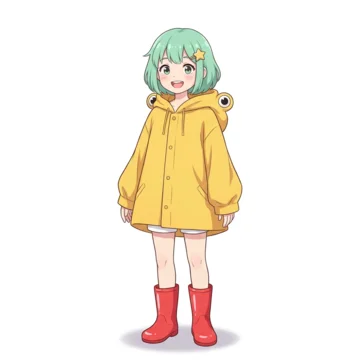
Only have a picture of your character? Get its BUG Clicker PSD: head1 to head4 and body, lined up and ready for Load PSD.
Make a BUG Clicker PSDHow to import itHave a character of your own? Make it a desktop pet: build it from your art in the pet maker, free, or start from one picture.
Open the pet makerStart from a picture